
Much to the chagrin of my wife, I got into home automation recently. I got into home automation because there was one project that I wanted to accomplish, but mostly because it looked pretty cool. I browsed the /r/homeautomation subreddit looking for ideas others shared to get an idea what was possible. After much research (including finding out Alexa isn’t a hub), I settled on Home Assistant.
Why Home Assistant?
I’m a web developer by day and maybe because of that, I like tinkering, I have an android phone and tasker app for that reason. Home Assistant called to me because it sounded like it was highly customizable and supported just about everything. I wasn’t really sure what I was going to be getting into down the road so that seemed like a good thing. It also didn’t hurt that it was the cheapest option so an easier sell for the wife.
I also needed to pick a connection method. I figured my choices were Zigbee, Z-wave of Wifi. Wifi seemed like it didn’t have every many options. Zigbee seemed like a strong contender (mostly because the sensors they had seemed super cheap) but I read somewhere it was on the same frequency as the wifi signal, and I live in a populated area with about five or six other wifi networks in my area. So I decided to go with Z-wave. No wifi interference to worry about and I liked how it a new device extended the network (not that I live in a big house, but still fancy).
My Home Automation Starter Kit
I had read that HASSio was easier to set up and upgrade so I decided that might be the best way to go. From what I read the Raspberry Pi option was probably the most cost-effective. I ended up buying the CanaKit Raspberry Pi 3 with 2.5A Micro USB Power Supply. It’s worked well so far.
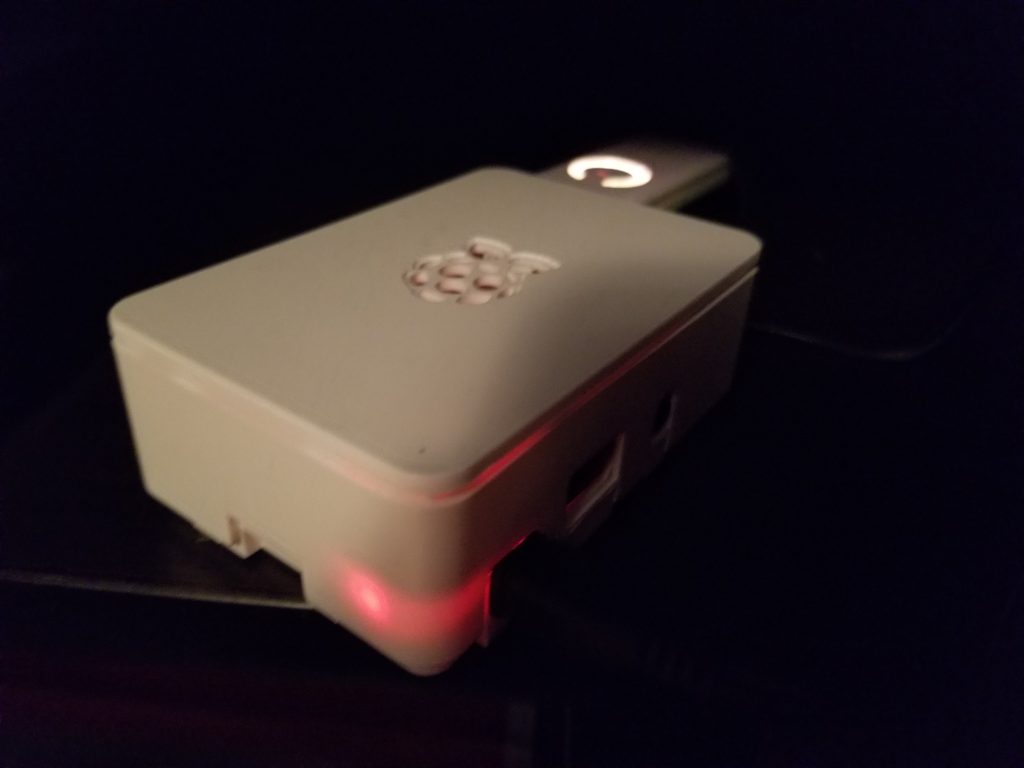
I also wanted to get a case for it. Mostly to keep the dust out, and so my kids wouldn’t start poking at the pretty green board with flashing lights (the PI was going to be setup near the TV). I bought the iPhoenix Raspberry Pi Case. I couldn’t get the case to completely shut. It’s probably just out of fear of breaking the Raspberry Pi inside, but I didn’t push it. The box is stationary anyway, no real need to have a sealed case.
As I said before I had already picked Z-wave as my device network, so a Z-wave USB stick was in my future. I picked the Aeotec Z-Stick Gen5, folks on reddit talked about Aeotec and used it successfully. I was convinced you needed a physical button on the stick to pair the devices. But that’s not the case, you set it in Home Assistant to search for devices, or “Add Node” mode. Home Assistant makes it pretty easy, so don’t let that be a reason like I did.
I also needed a dedicated SD card for the Raspberry Pi to use, I picked the Samsung 64GB 100MB/s (U3) MicroSDXC EVO Select Memory Card with Adapter. I also mistakenly purchased a card reader, it was never clear to me if the Pi would need a card reader 24/7 or not. I had never used a Raspberry Pi before, so I didn’t know it had a microSD card reader on it already. Hopefully, this will help someone else in the future.
I also picked up an ethernet cable, but you can use WiFi to set it up also.
Setting up Home Assistant
I found this guide on Reddit, followed it pretty closely and it worked mostly fine for me.
Newbies guide to configuring Hass.io on a pi3 for the first time (including enabling duckdns encryption) from homeassistant
There were a few things that I just couldn’t get right or didn’t understand correctly. I’ll highlight those here
- Whenever I tried to use hassio.local, I’d get an error page. So I ended up downloading the app Find on Android to look for the IP. Then used that IP to log in.
- After setting up the port forwarding I couldn’t get the Duck DNS page to load up, it would keep redirecting to my router’s login page. I didn’t realize you needed to use the port number in the URL. I’ll blame the late hour on that one.
- Samba you have to manually start the first time and the username is root unless you set up the username/password which I recommend. I’d also turn off guest mode while you’re there. By default, it’s on.
And after all that I had my shiny new Home Assistant running. Now I just needed to get some components working so I could play around with the automations.
One thought on “My Adventures in Home Automation Begin with Home Assistant”